







Built for what's next
Ready for AI. Never dependent on it.
Nobody on your team has to learn AI to build a house. TPTM keeps the field on one simple list — and underneath, it keeps every walk, task and trade as clean, permission-checked data on one API. That's the groundwork AI and integrations need, without making anyone depend on them.
In the field
Nobody has to learn AI to build a house.
Every software pitch leads with AI now. Your superintendents and Construction Managers don't need a chatbot on the jobsite — they need to know which homes need them today, and a fast way to check work off.
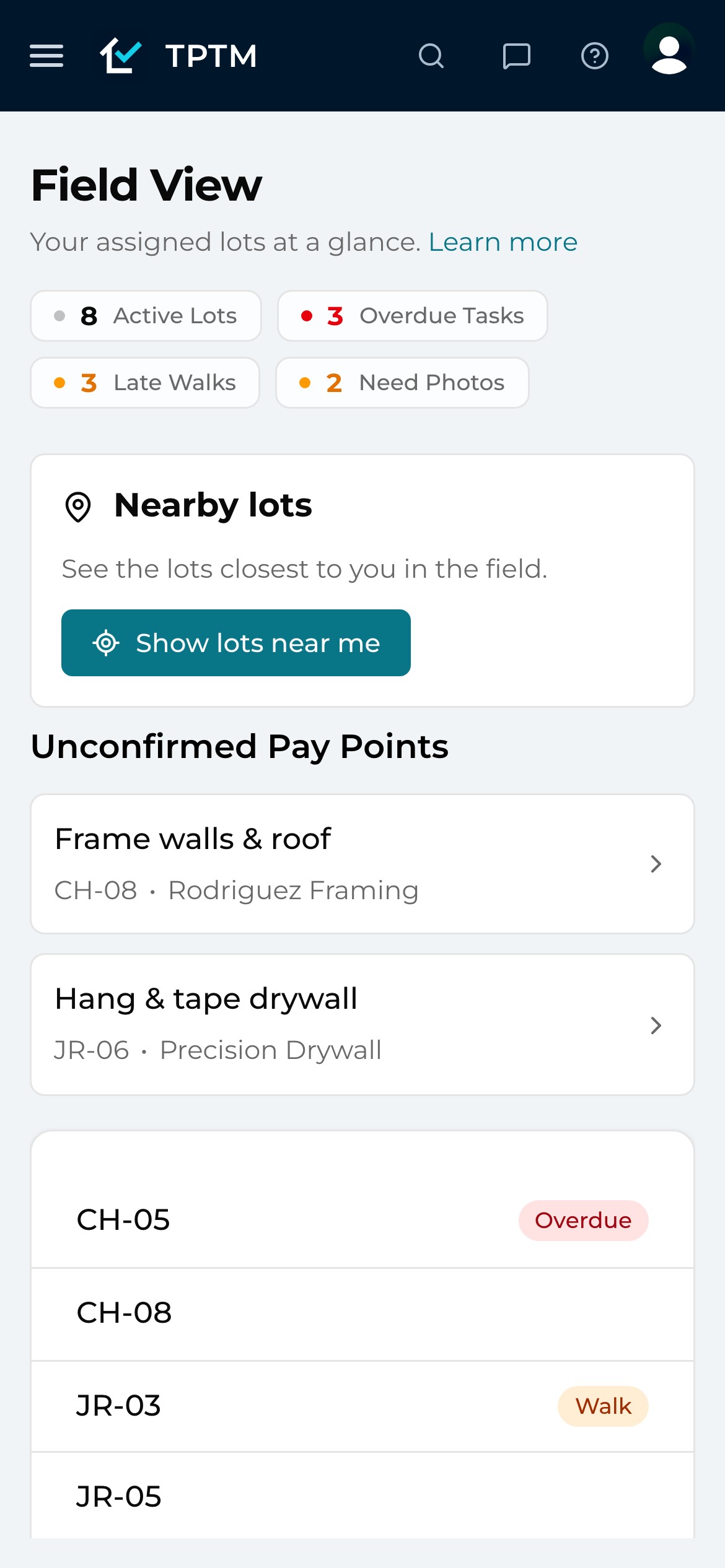
So that's what the field gets. Field View opens on the lots assigned to you: how many are active, which tasks are overdue, which walks are late and which homes still need photos. Tap a lot, see its tasks in order, check one off. No prompts to write, nothing new to learn.
- Your lots, first Field View shows each person their own assigned lots, with overdue tasks, late walks and missing photos counted at the top.
- One tap per task Tasks sit in schedule order on every lot page. Check it off and the office sees it — no end-of-day report to write.
- Nothing to switch on No part of the field's day depends on an AI assistant. The list works the same whether your office ever connects one or not.
Underneath
Every check-off becomes data you can trust.
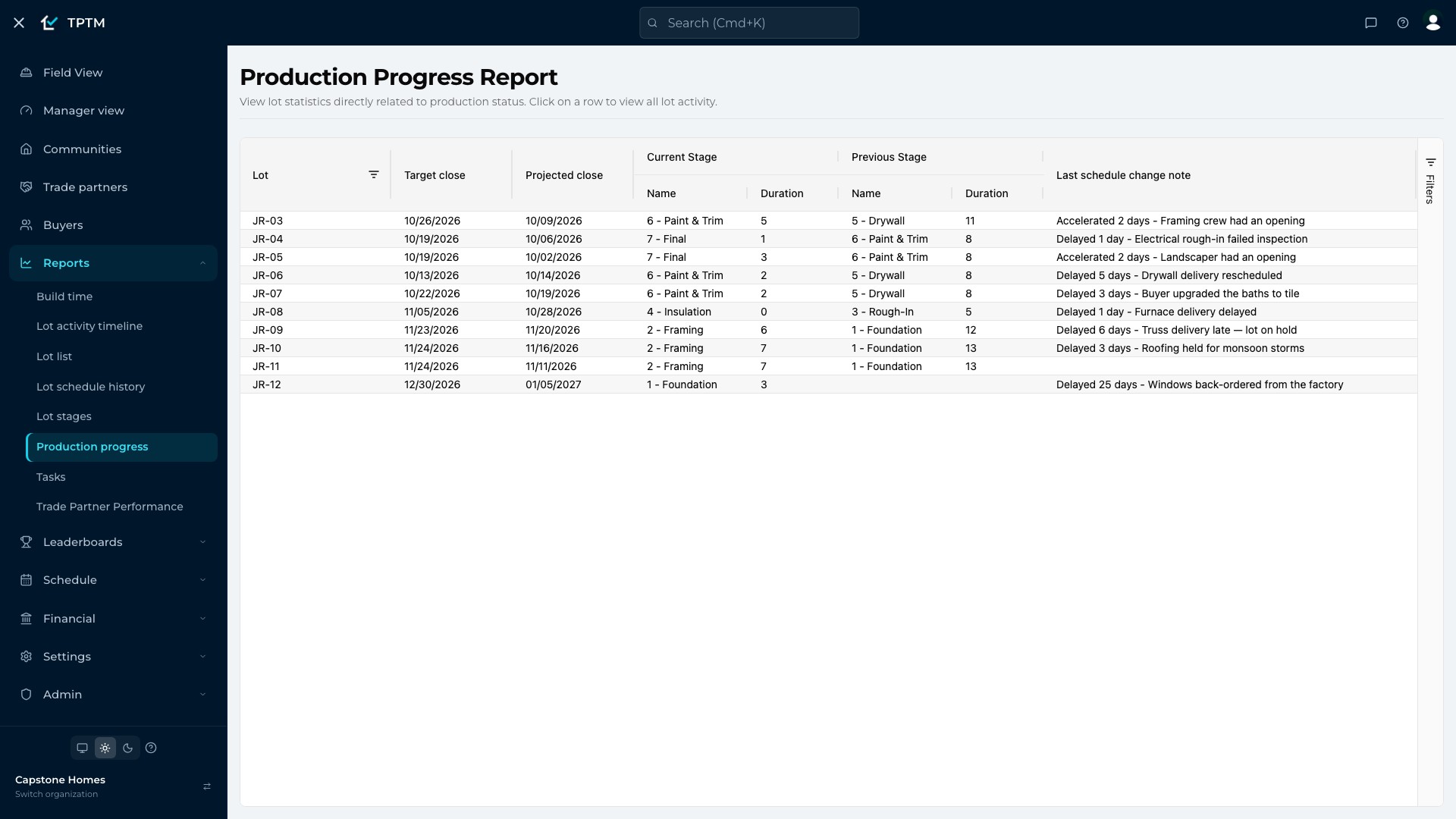
Anything worth analysing starts as a record someone can trust. In TPTM a task isn't a line in a spreadsheet — it belongs to a lot, a stage and a trade partner, with the dates it was scheduled and finished. A walk records who walked the lot and when, with the phone's location checked against the lot. A work order knows the trade it back-charges; a pay point knows whether it's pending, confirmed or paid.
Because the field creates that structure just by doing the work, the office doesn't have to rebuild it from texts and photos. Every report, leaderboard and projection reads the same records the field just wrote — and so will any analysis you run on top of them.
- Records, not retyping The check-off on site is the data. Nobody re-enters it into a spreadsheet for the office to trust.
- One version of the truth Field View, lot pages, reports and leaderboards all read the same records, so the numbers agree wherever you look.
- Connected by design Tasks link to lots, lots to communities, work to trade partners — the relationships analysis depends on are already there.
In the office
The hard questions, already asked.
“Which homes slipped, and why?” “Which trade is dragging the schedule?” Those are the questions people hope AI will answer. TPTM asks the most important ones for you, every day, across every community.
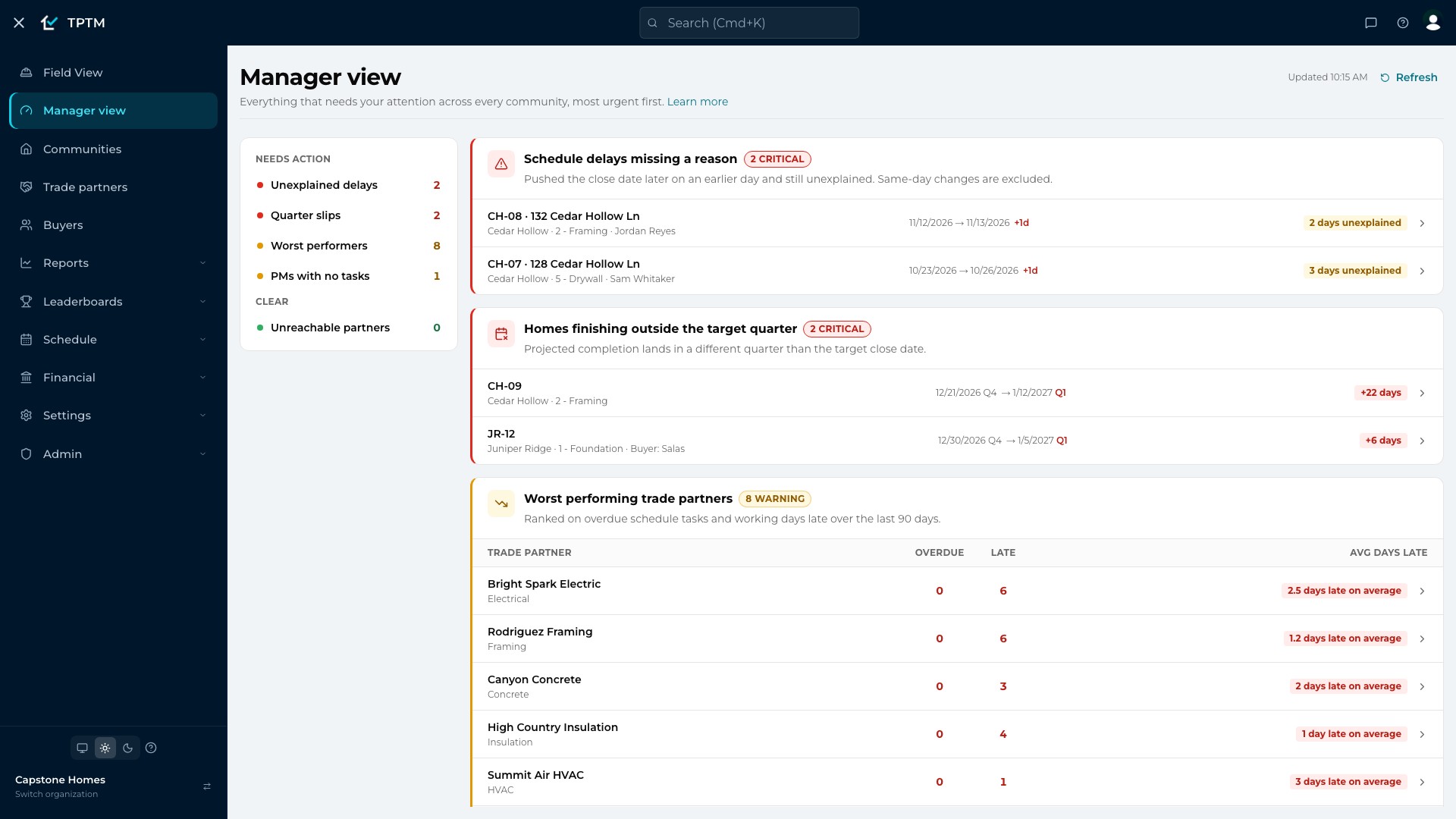
The Manager view ranks what needs attention, most urgent first: the trade partners with the most overdue and late work, schedule delays nobody has explained, homes now projected to finish outside their target quarter, and project managers with no recent tasks. Each check says whether it's clear or needs action, so a VP can see the whole business in one screen.
- Worst performers, ranked Trade partners ranked on overdue schedule tasks and working days late over the last 90 days.
- Delays that need a reason A close date pushed later on an earlier day and still unexplained is flagged until someone gives the reason.
- Quarter slips, before they're news Homes whose projected close has moved into a different quarter from their target close are listed for follow-up.
Control
Permissions that hold on every request.
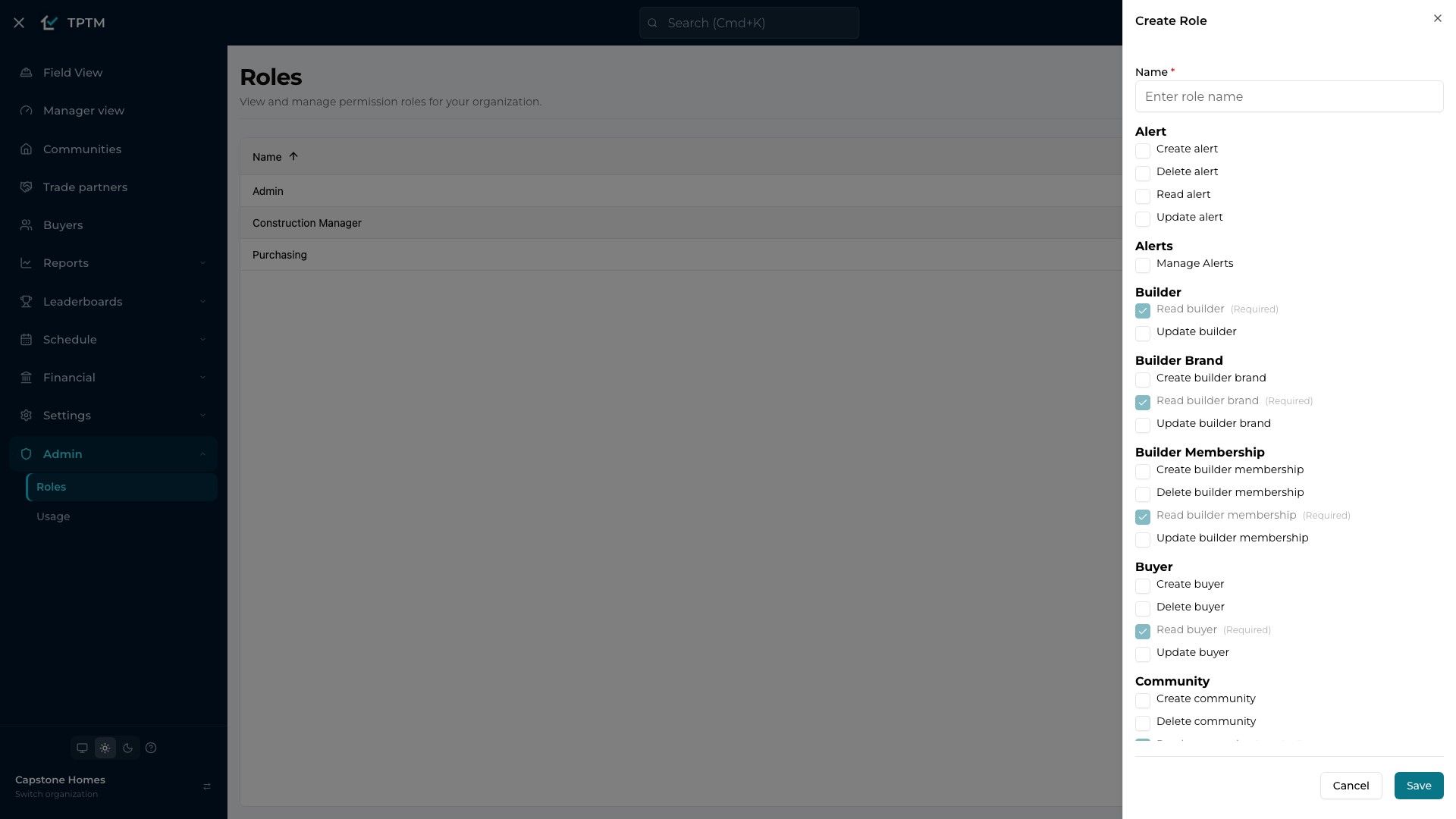
Before anyone connects anything to your data, the first question is who can see and change what. In TPTM that's answered by roles you define, one action at a time: read, create, update or delete, for lots, tasks, buyers, work orders, pay points and the rest.
A new role starts with only the reads the app needs to work — every change is something you switch on deliberately. And the rules aren't just hidden buttons: they're checked where the data lives, on every request, so a person can only ever do what their role allows, and only inside your company.
- One checkbox per action Admin → Roles lists every permission by area. Read-only, office, field or admin — build the roles your company actually has.
- Checked at the data Access is enforced by the data layer on every request, not only by what the screen chooses to show.
- Walled off by builder Every record belongs to one builder, and requests can only reach the records of the company they are made for.
For your tech team
One API. One set of rules.
TPTM doesn't have a polished front end with a tangle behind it. The web app and the TPTM field app read and write through one typed API, with the same permission checks. There is no private back door the app uses that anything else would have to work around.
Every capability on that API is explicitly labelled with who may reach it: TPTM's own apps only, a programmatic integration, or an AI assistant. A capability that forgets to say fails the build instead of quietly becoming reachable. That's what lets new connections be added deliberately, one approved capability at a time — and what keeps anything you haven't approved out of reach.
- Same API, web and field The web app and the TPTM field app share one API and one set of rules, so behaviour never drifts between them.
- Declared, not assumed Each capability states whether it's app-only, open to integrations or safe for an AI assistant — checked on every build.
- Tell us what you need Planning an integration? Mention it when you get started, so we know what you want to connect.
Your call
Ready for what's next. Never dependent on it.
Some builders want AI digging through their numbers and drafting the follow-ups. Others want nothing to do with it. TPTM is built for both: clean, structured, permission-checked data for the office and whatever tools it chooses, and the same simple list for the people building the homes.
If you'd rather keep things old-school, TPTM works exactly the same without it. Nobody's day in the field changes either way.
Questions
What builders ask about this.
Do my superintendents or trade partners have to use AI?
No. The field works from a simple list — open your lots, do the work, check it off. There are no prompts or assistants anywhere in the field's day.
Does TPTM work without AI?
Yes. Field View, schedules, walks, work orders, pay points, reports and the Manager view all work on their own. Nothing in TPTM requires an AI assistant.
Who controls what someone can see or change?
Your admins do, with roles. Each role is a checklist of actions — read, create, update, delete — by area, and a new role starts with only the reads the app needs. Access is checked on every request, not just hidden on screen.
Is our data kept separate from other builders?
Yes. Every record belongs to one builder, and every request is limited to the records of the company it's made for.
Does the field app use the same data as the web app?
Yes. The TPTM field app and the web app run on the same API with the same permission rules, so a check-off in one is the same record in the other.
Can our tech team build an integration?
Tell us what you'd like to connect when you get started. TPTM's API is built so every capability has to be explicitly approved for integrations before anything outside TPTM's own apps can reach it.
Get started
Give the field a program it will actually use.
Tell us about your company and we'll show you TPTM running on homes like yours.
- Tell us about your homesTwo minutes, right here.
- See it on your communitiesA walkthrough built around how your Construction Managers and trades already work.
- Send your trades a linkNo onboarding, no sign-in. They're in.
Get started with TPTM
We'll get back to you personally.