







One truth you can trust
Punch tasks, schedule tasks, work orders and site info in one place, kept current by the people on site — so “ready” means ready. No sticky notes, no side texts, no second version.
TPTM · Field management software for homebuilders
Not the finance office.But they’ll still love it
Every punch list, schedule, work order and site detail in one place — designed by a field operator and owner with decades of experience building homes. Your trades get one simple link. Your office gets numbers it can trust.
The problem
Builder software is designed around the office — reporting, purchasing, finance. It’s complex, made for a desk, and takes real training to use. Construction Managers are left translating it for trade partners who juggle a different program for every builder they work for. So the field quietly stops using it.
We can’t trust the information in the portal.
When CMs can’t make the office program work, the real plan moves to sticky notes, texts, calls and email — a different version for every CM at every builder.
Trades work for several builders, each with its own logins, screens and training — repeated every time they hire someone new.
The schedule shows homes ready that aren’t, so trades drive their sites and crew whatever looks ready — putting a spec home ahead of a sold one.
Designed by finance-minded teams, not builders — complex, desk-bound and training-heavy, so your CMs are stuck translating it for every trade.
20%Large construction projects typically finish 20% later than scheduled — and planning is still uncoordinated between the office and the field.McKinsey & Company, “Imagining construction’s digital future,” 2016
TPTM was built to fix exactly thisDesigned by a field operator
TPTM was designed by a field operator and owner with decades of experience — so it works the way your Construction Managers and trades already do. One simple, current list every trade will actually open, and real numbers for the office.
Punch tasks, schedule tasks, work orders and site info in one place, kept current by the people on site — so “ready” means ready. No sticky notes, no side texts, no second version.
Trades get a link by text or email. No login, no app, no training — even a trade’s newest hire is working from the first tap.
Every walk, completion, photo and back charge is time-stamped and GPS-verified on site — so you can see your process is really being followed, and fix it where it isn’t.
Made by a field operator who’s walked the lots — around how homes actually get built, not how reports get filed.
For your trade partners
Trades never create an account, pick a password or download an app. They tap a link in a text or email and they’re in — every task you’ve given them, across every community, ready the moment it opens.
The trade partner portal
Every task, schedule and report a trade needs — across every community they build for you — in one portal. Some of our trade partners already run their entire operation off it: planning the week, dispatching crews and tracking their own performance.
Trades love it. Our builders hear it on site all the time: TPTM makes them the easiest builder to work for — and the one trades would pick first.
In their words
I’ve used several other programs over the years, including Build Pro and Buildertrend, and none of them come close to the overall experience TPTM delivers. The ease of use is outstanding — everything feels intuitive, clean, and efficient. The color coordination is a huge advantage, making it simple to track progress and spot issues at a glance. Its simplicity isn’t a limitation; it’s a strength that makes scheduling faster, clearer, and far more effective. TPTM is by far my favorite scheduling platform.
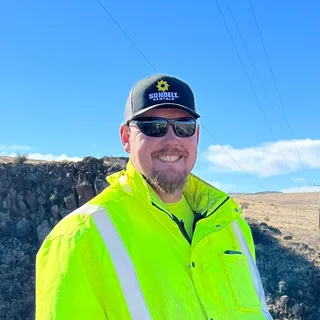 Lee FugittPresident, R. Blume Underground, Inc.
I love the TPTM. I really like how easy it is to use and how everything is right in front of you. I would also like to see how we could potentially use the system for all builders and scheduling.
Work orders
Attach a work order to the task that needs it. The work starts right away, and the trade being charged is notified immediately — not at the end of the month when nobody remembers why.
On-site QR code
Post one sheet at the home. Anyone on site points their phone camera at it and has everything they need — no app, no login, no call to the CM.
The sheet never goes stale. It opens the live lot page, so every scan shows today’s punch list and whatever files you’ve posted — no reprinting.
Overall schedule
Every home on one timeline — whether it’s a handful of lots or hundreds across dozens of communities. Spot the week five homes need the same crew, stagger before it becomes a bottleneck, and project a schedule you can actually hit. Clarity at scale, without a system nobody wants to open.
Week of Apr 14: 5 homes need drywall at once. Line up another crew now — or stagger two homes — and the whole community stays on its dates.
Every crew, every language
The person doing the work isn’t always the person who reads English best. TPTM puts every task in front of your trades in English or Spanish — so what your CM wrote is exactly what the crew does, the first time.
Re-caulk tub surround — primary bathLot 14 · Due Thu
Replace cracked outlet cover — kitchen islandLot 22 · Due today
Touch up paint at stair handrailLot 9 · Due Fri
Additional languages are available on request.
For Construction VPs
Because the field actually uses TPTM, the numbers leadership sees are real. See who is really walking their homes — every walk is GPS-verified on site — where build times are slipping, and what that does to the quarter.
Quarter projection: see every closing that slips out of — or gets pulled into — the quarter, the moment it happens.
GPS-verified homes walked, progress photos taken, average build times, overdue schedule tasks and lots with open tasks — side by side.
A high-level view of every home by stage, so the ones that aren't moving stand out.
How each trade is performing across every community and CM.
Every work order and back charge, by trade, lot and status.
When a scheduled close date moves, everyone is notified with a detailed explanation of why.
GPS confirms updates were made on site, not from the office — so the numbers you see reflect a real walk.
For Purchasing & Accounting
When a CM confirms the work in the field, it shows up for you as ready to pay. No phone calls to find out if framing is really finished.
Activities that are complete and verified by the CM, ready to pay — no chasing anyone for a yes.
Approved and completed by the CM, then shown as ready to pay, with the back charge attached.
See which trades perform best, and bring the right ones to your next project.
Everything included
The same live data, cut the way each person needs to see it — from the trade in the truck to the VP planning the quarter.
Trade partner performance report
Every trade partner gets a live scorecard: their on-time rate, how early or late each task finished, and exactly where — by community, lot and task type. The same numbers you see, so there are no surprises at review time. Just faster course corrections.
Built for what’s next
TPTM connects to the AI assistant your office already uses — ChatGPT, Claude, Perplexity and more — to dig into the numbers and take busywork off your team’s plate. Out in the field, it’s the same simple app: open the list, do the work, check it off.
Nobody has to learn AI to build a house. If you’d rather keep things old-school, TPTM works exactly the same without it.
For your tech team: open APIs and AI plugins for custom integrations, AI assistants and automations.
Questions
No. They get a link by text or email that opens their own portal. There's no sign-in, no password and nothing to install — which is exactly why they use it.
For trade partners, none — the portal is a list of their tasks, in the format they prefer. For your team, TPTM follows how Construction Managers already work: walk the home, capture what's needed, move on.
Every walk is recorded on site with GPS, so you know it really happened — it isn’t typed in from the office. A list verified on site this morning is one a trade can trust enough to send a crew.
TPTM is built for the field side of the job — the punch lists, schedule tasks, work orders and site information your trades and CMs need every day. Leadership, purchasing and accounting then get reports built from what is actually happening on site.
Tasks are written once and trade partners can read them in English or Spanish, so nothing gets lost between the CM and the crew.
Trades never need one: their portal opens in any phone browser, with nothing to install. For your Construction Managers, TPTM includes a native field app built to work offline: it keeps working with no signal and syncs when the signal is back.
It depends on the size of your operation. Tell us a little about your company below and we'll walk you through TPTM with your own homes in mind.
Get started
Tell us about your company and we'll show you TPTM running on homes like yours.
We'll get back to you personally.