





Every crew, every language
Write it once. Every crew reads it in their language.
Your Construction Manager writes the task in English. TPTM translates it into Spanish in the background, and the crew on site reads it in the language they're most comfortable with. They scan a QR code and tap once. They don't need a translator, an app or a login.
The problem
The person doing the work isn't always the one who reads English best.
On most job sites, the Construction Manager writes a punch item in English, and a crew lead who's more comfortable in Spanish reads it. The words often get translated on the fly: by a helper, by a phone app, or by a guess. Sometimes the wrong thing gets fixed.
When that happens, the work is done twice. Somebody drives back out, the item goes back on the list, and the home takes a little longer to close. It isn't anyone's fault. The instructions just never reached the crew in a language they read comfortably.
- Missed details. Which wall, which room, which seam are the words that get lost first.
- Return trips. A misread task is a second visit for the trade and a second check for your Construction Manager.
- Side channels. When the instructions aren't clear, the real explanation moves to calls and texts that no one else can see.
Re-caulk tub surround — primary bathLot 14 · Due Thu
Replace cracked outlet cover — kitchen islandLot 22 · Due today
Touch up paint at stair handrailLot 9 · Due Fri
For Construction Managers
Write it once, in plain English.
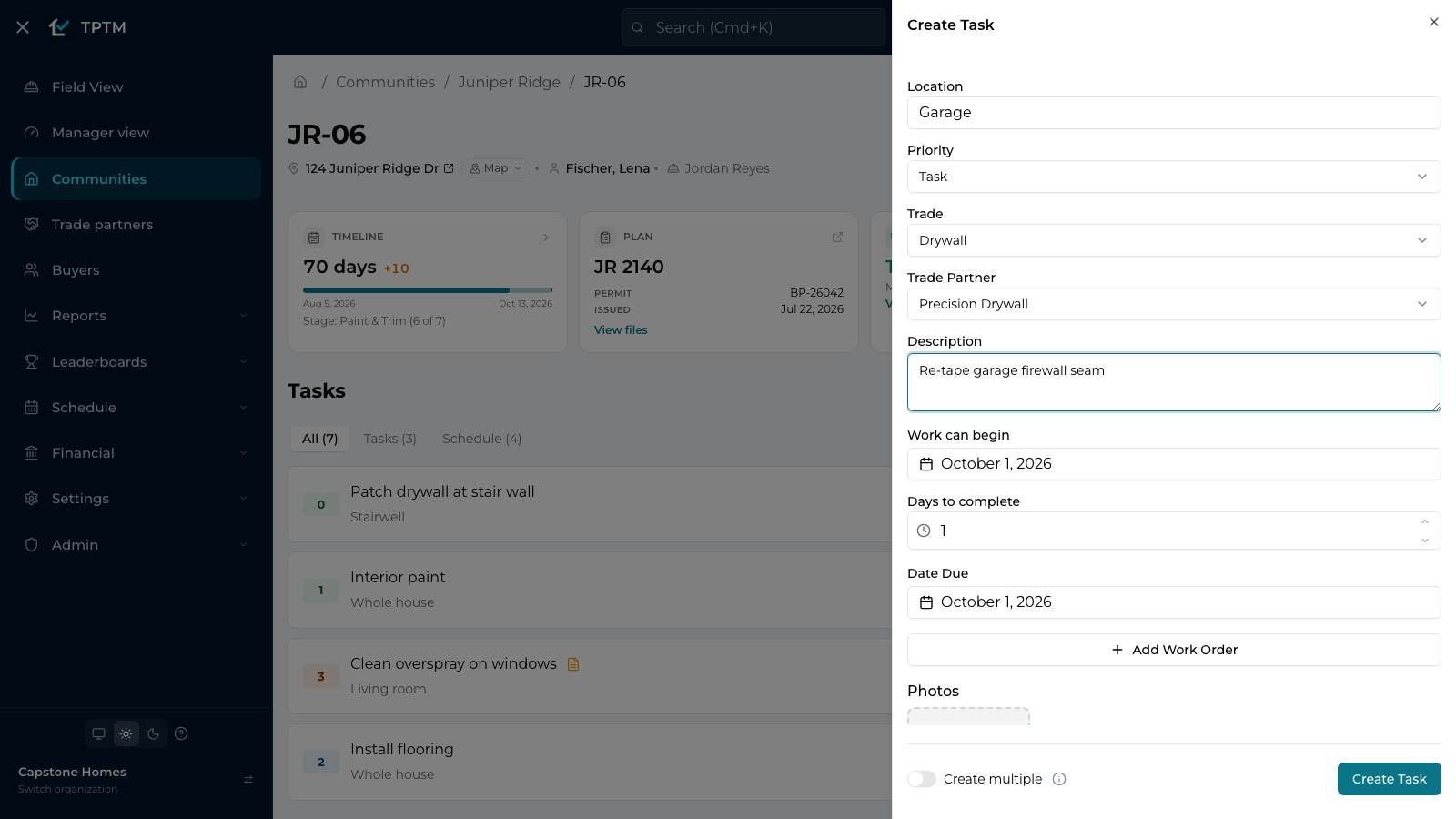
Your Construction Manager adds a task the way they already do: a location, the trade, and a description. There's no second field for Spanish, nothing to copy into a translation app, and nobody to call.
When the task is saved, TPTM translates the description and the location into Spanish in the background. Before it's stored, each translation is checked to make sure it is Spanish, is about construction, and is a faithful translation of the original wording.
- Punch items and schedules alike. The same thing happens for punch items added on a lot, for task templates, and for the tasks a schedule creates.
- Nothing changes for the office. Your team keeps working in English. The Spanish is for the crew.
For trades and crews
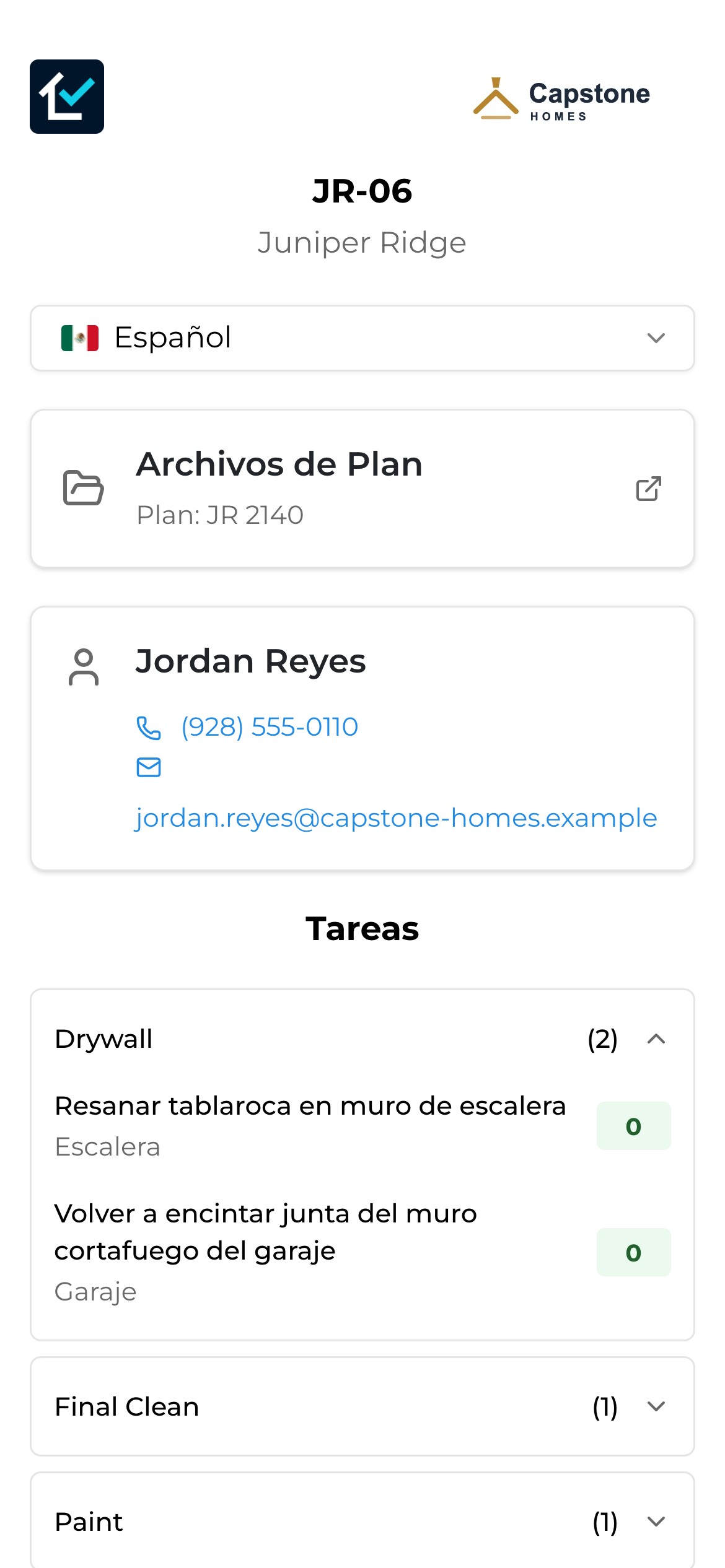
Scan the lot. Read it in Spanish.
Every lot has a QR code. A crew member scans it with their phone's camera and gets that lot's open tasks, grouped by trade, plus the Construction Manager's name and phone number.
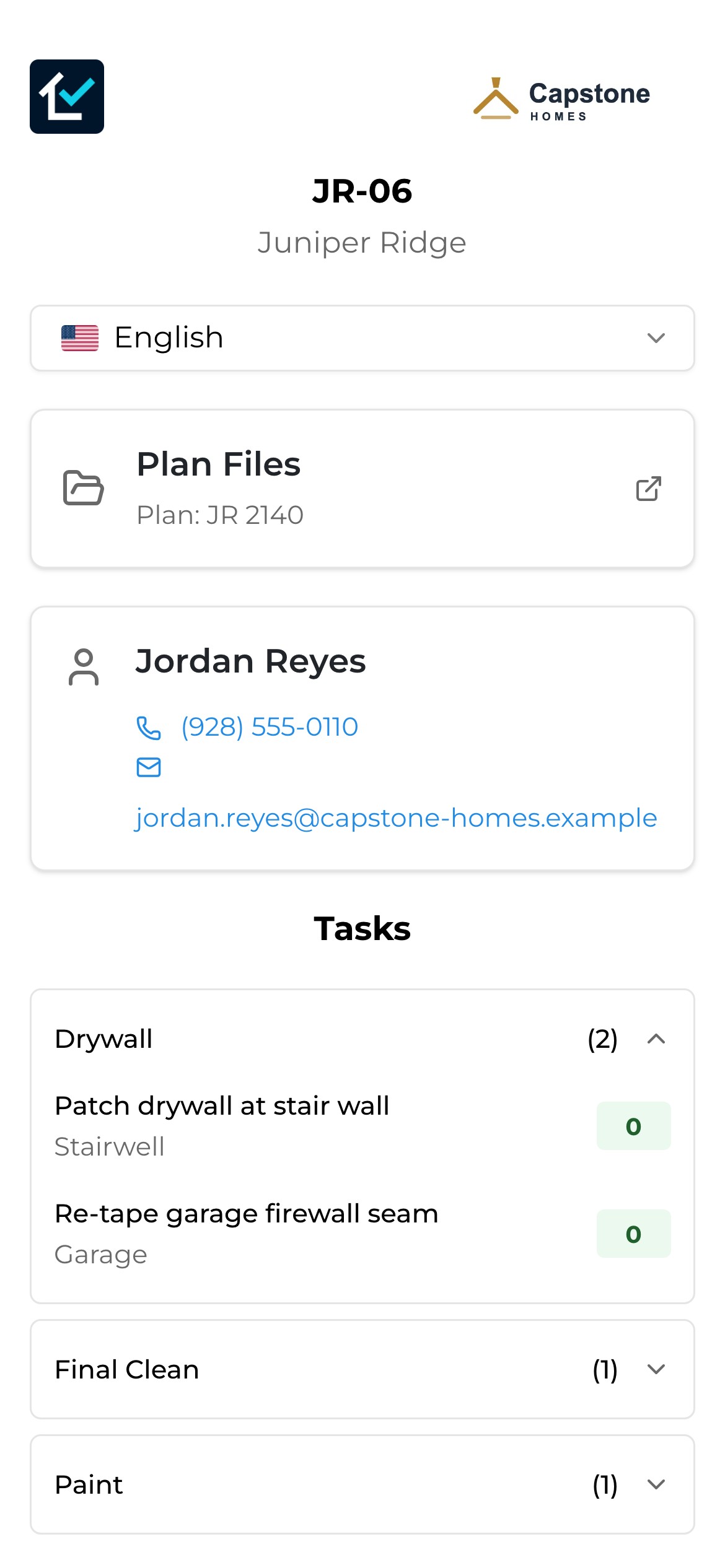
The language selector at the top switches the page between English and Español. The task descriptions, the locations, the page labels and the status legend all switch with it.
- It opens in their language. If the phone is set to Spanish, the page usually opens in Spanish without anyone choosing.
- It remembers. Pick Español once, and the next lot scanned on that phone opens in Spanish too.
- Nothing to install. The page opens in the phone's browser. There's no app, no account and no password.
Ready when you are
Common tasks are ready the moment they're saved.
Punch lists repeat. "Touch up paint in primary bedroom" and "Re-grout shower corner" come up on lot after lot. When a Construction Manager writes wording that has already been translated, TPTM reuses the existing Spanish translation, so it's ready immediately.
Only new wording is sent for translation, once. Until it's ready, which is usually a short while, the crew sees a "No translation available" note in their language instead of a blank line, so they know to check back or call.
On the lot
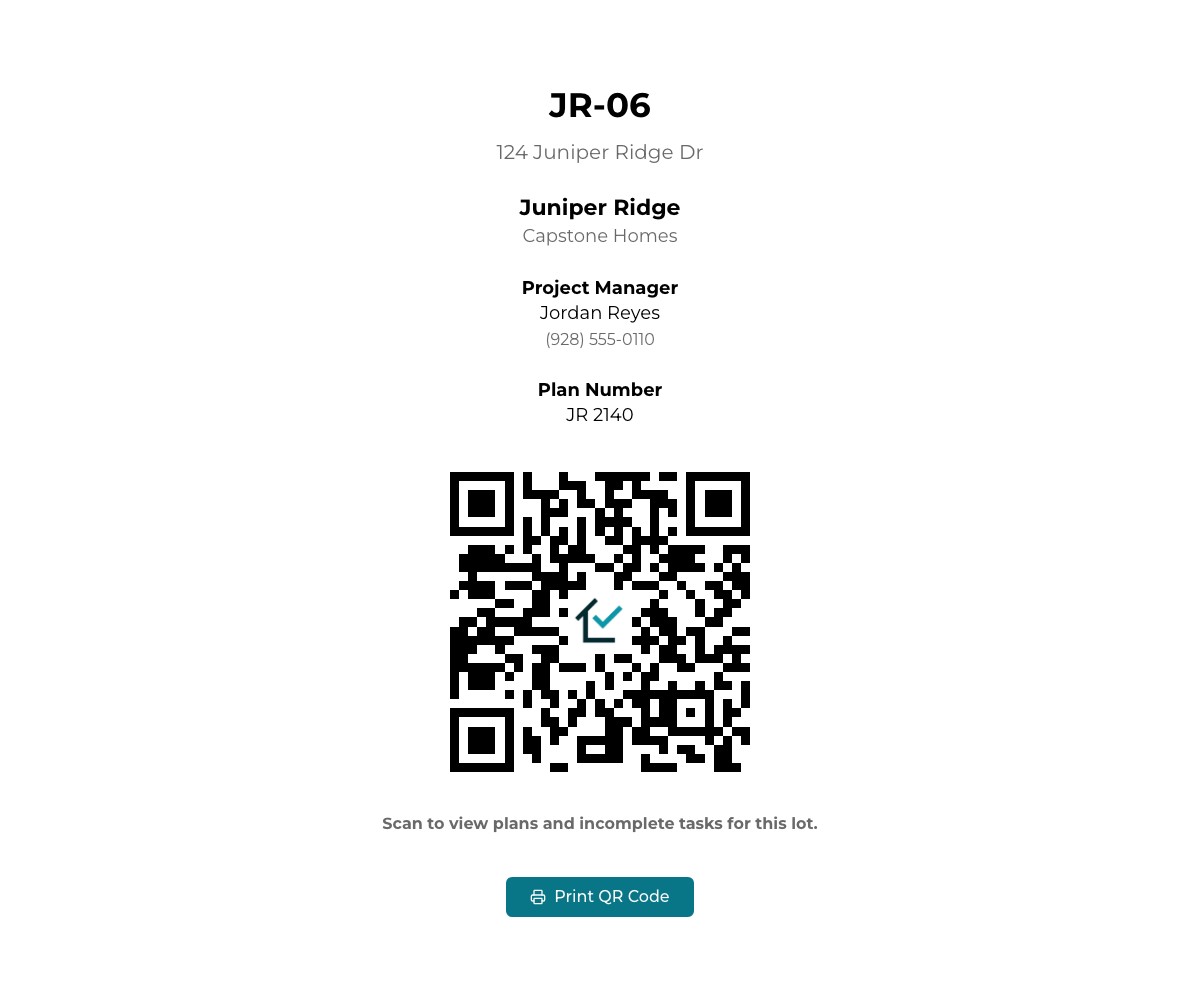
A QR sign on every lot, printed from the lot page.
Open the lot, choose Print QR code from the Tools menu, and post the sign on site. It shows the lot, the community, your company name and the Construction Manager's phone number, with a code that opens the lot's task list.
The sign never needs reprinting when tasks change. The code always opens the lot's current open tasks, in the reader's language.
Who it helps
Clear instructions help everyone on the job.
Nobody has to change how they work. Your Construction Managers keep writing in English, and your crews read in the language they know best.
- Construction Managers write once and stop fielding calls that start with "what did you mean by…".
- Trades and crew leads see exactly what's needed, where, on which lot, without asking someone to translate.
- Superintendents send fewer crews back for work that was done to the wrong instructions.
- Owners and VPs get more work done right the first time, which keeps schedules and closings on track.
Questions
What builders ask about this.
Which languages are supported?
English and Spanish. Your team writes tasks in English, and crews can read them in English or Spanish.
Who does the translating?
TPTM does it automatically, in the background, when a task is saved. Each translation is checked before it's stored, and wording that has been translated before reuses its existing translation.
What does the crew see before a translation is ready?
Brand-new wording can take a short while to translate. Until then, the page shows a "No translation available" note ("No hay traducción disponible" in Spanish) for that line instead of leaving it blank.
Does my crew need an app or an account?
No. They scan the lot's QR code with their phone's camera and the page opens in the browser. There's nothing to install and no sign-in.
Will the page remember that someone prefers Spanish?
Yes. Once they pick Español, the next lot they scan on that phone opens in Spanish. If their phone is already set to Spanish, the page usually opens in Spanish without them choosing.
Is everything in TPTM translated?
The lot's task page, which is what the QR code opens, is fully available in English and Spanish, including its task descriptions and locations. The Trade Partner Portal and the daily report emails are in English today.
Get started
Give the field a program it will actually use.
Tell us about your company and we'll show you TPTM running on homes like yours.
- Tell us about your homesTwo minutes, right here.
- See it on your communitiesA walkthrough built around how your Construction Managers and trades already work.
- Send your trades a linkNo onboarding, no sign-in. They're in.
Get started with TPTM
We'll get back to you personally.